
To modify your Color Palette for your Pro3, go to Admin > Settings and fill in the following:
Buttons Design & Color Schemes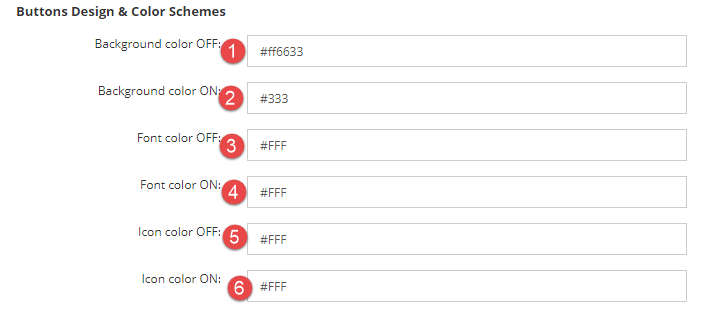
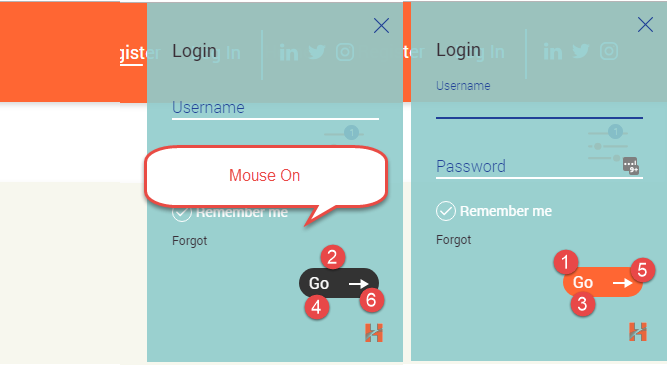
Top Navigation Panel:
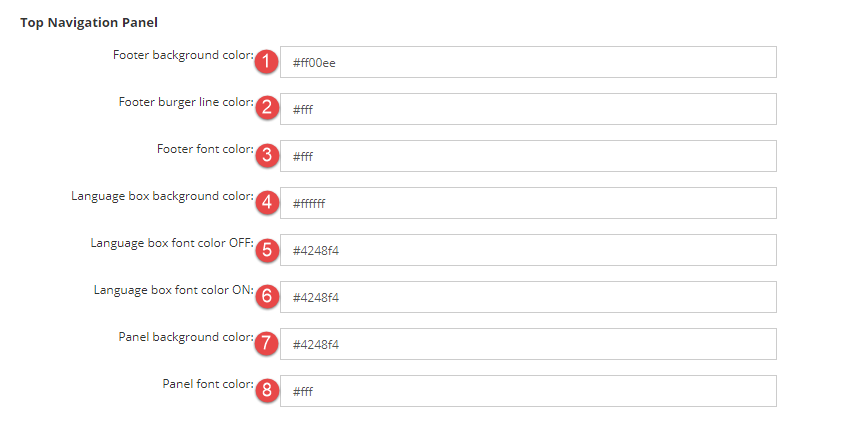

Left Hand Panel:
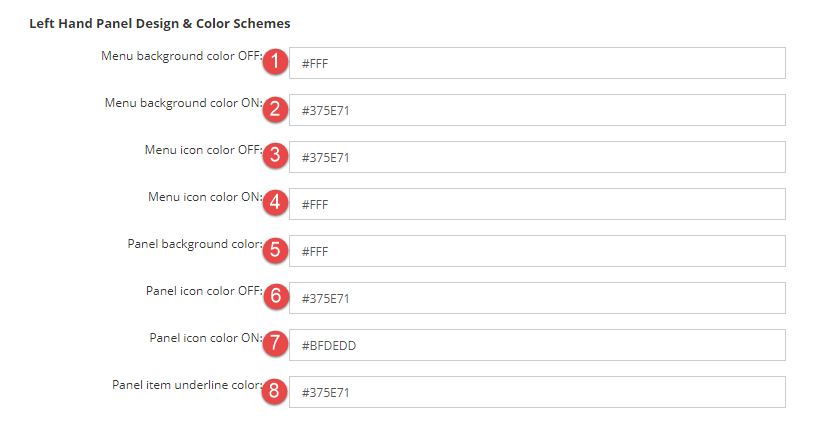
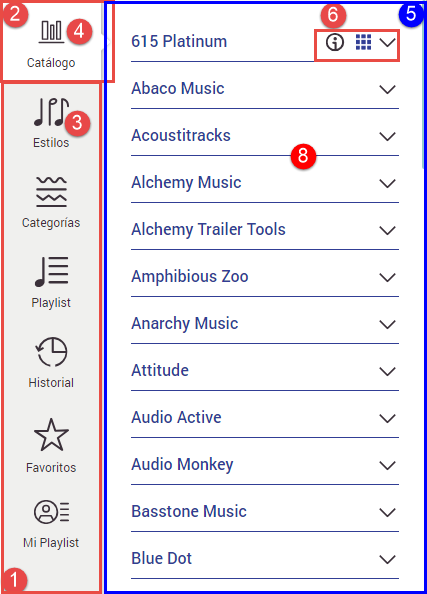
Social Icons:
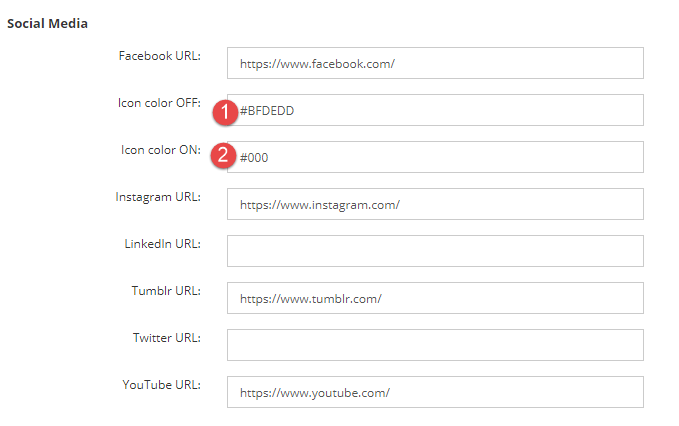
Add the social media URLs that are applicable to your site, if you do not add any these will not appear on the front end of your site
- Icon color OFF: Icon colors
- Icon color ON: Icon colors when user hovers on them
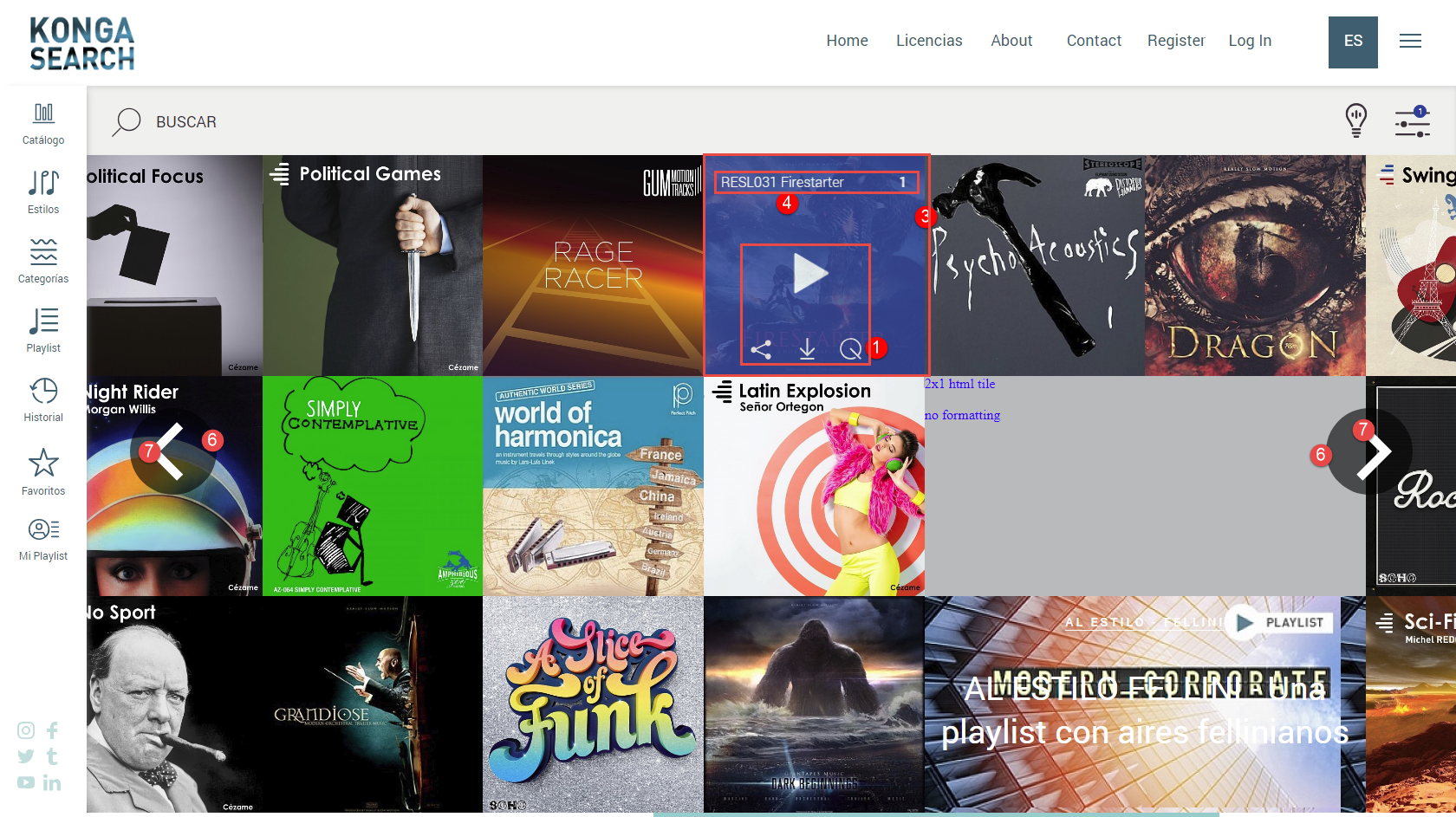
Elements on Home Screen: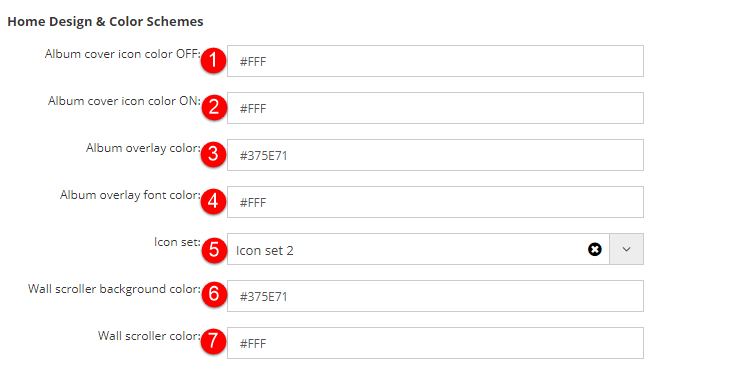
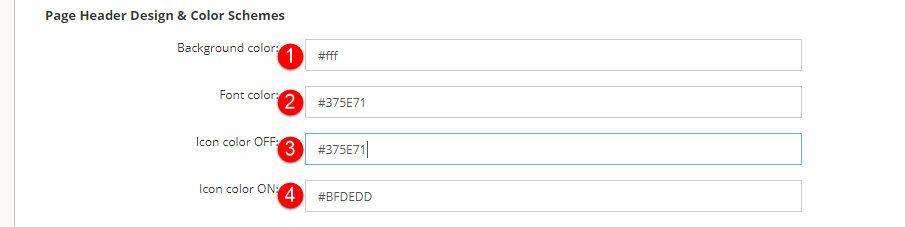
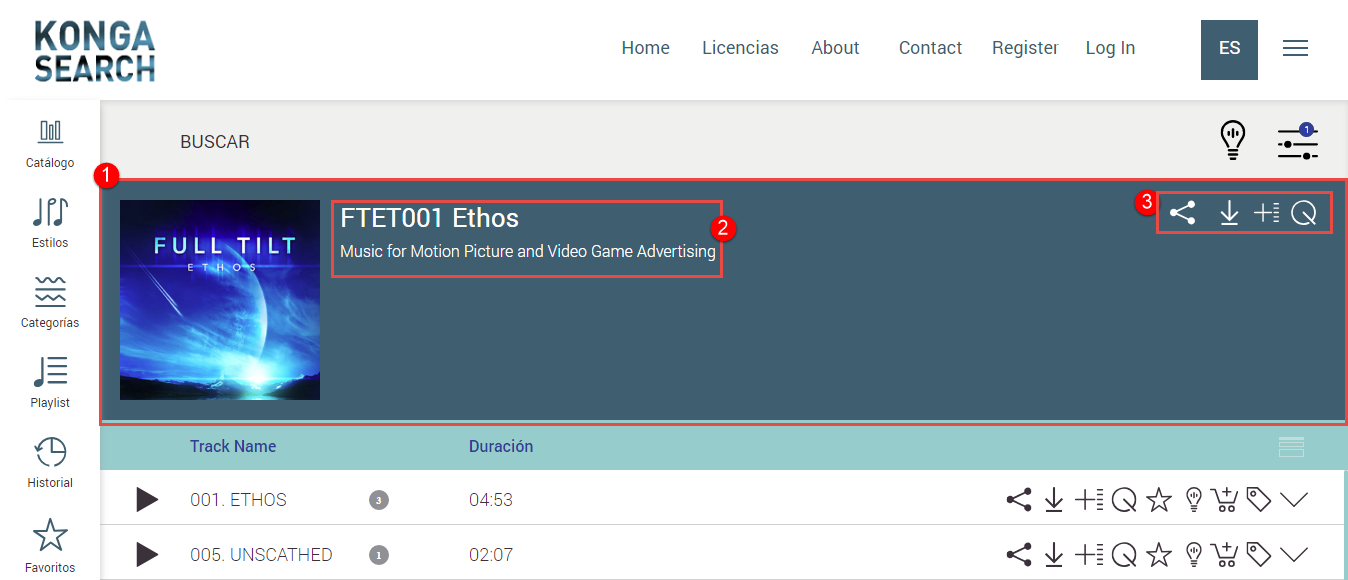
Page Header Design:
WAV Color Designs: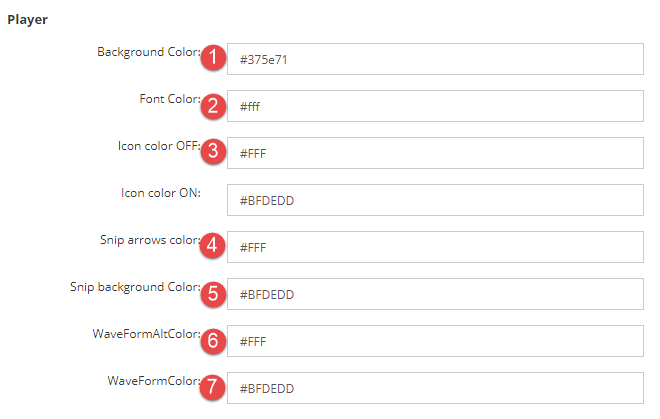

Track Design & Colors:
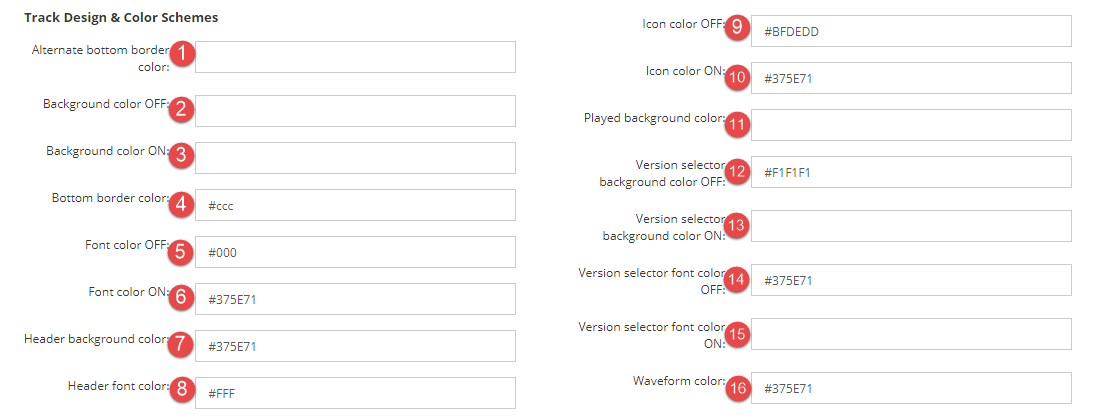
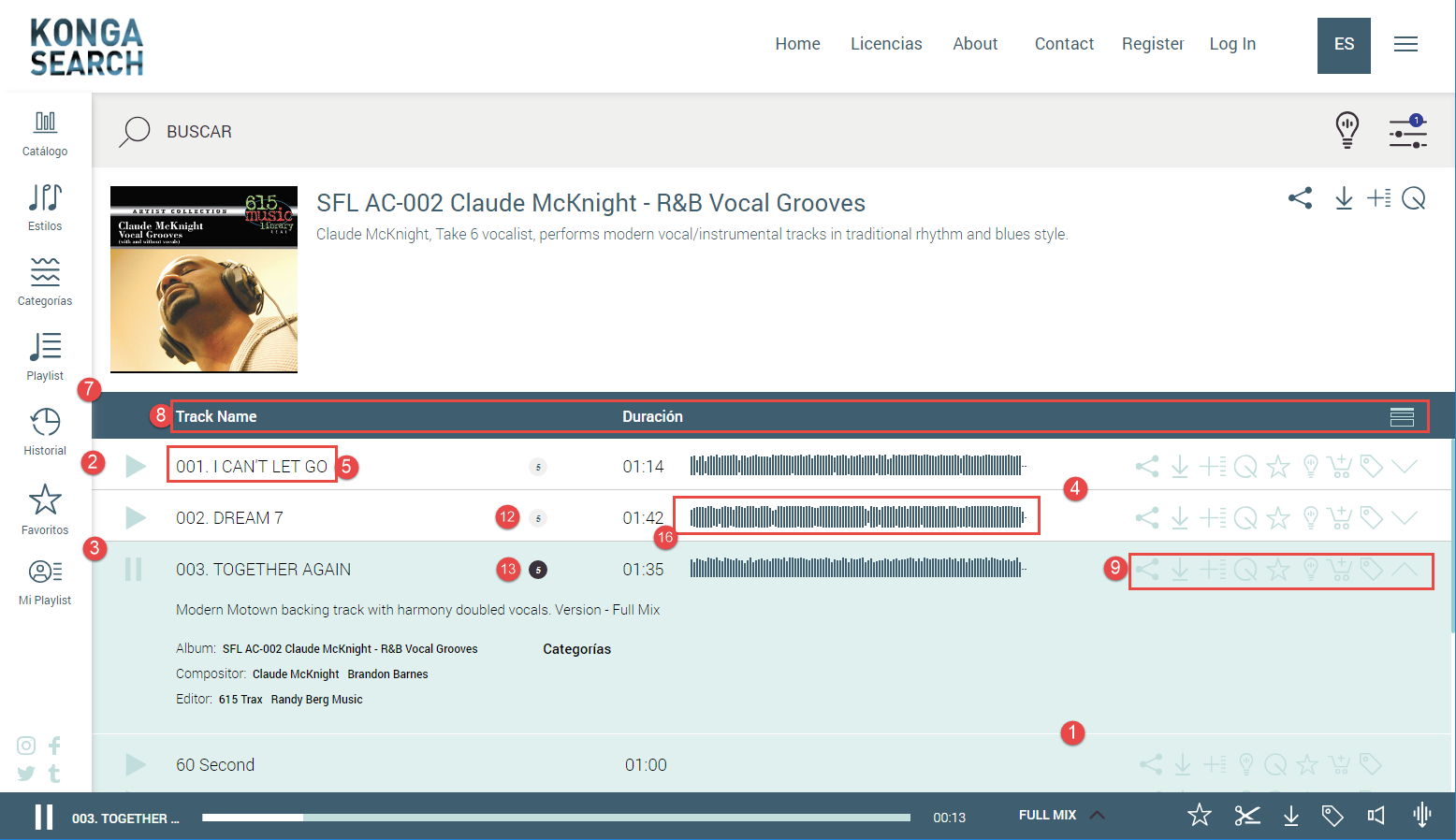
Search Bar Panel: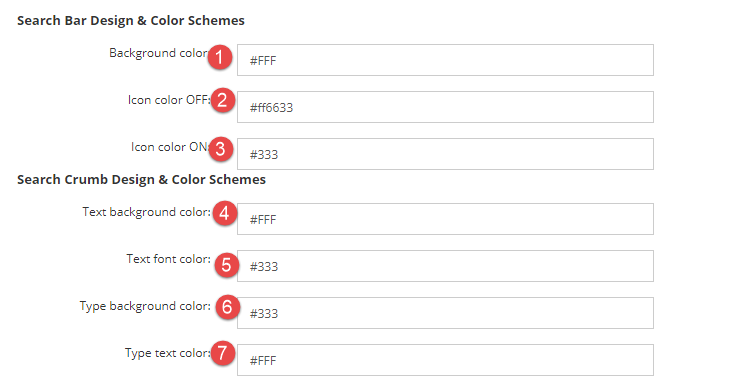

Autocomplete Bar Panel:
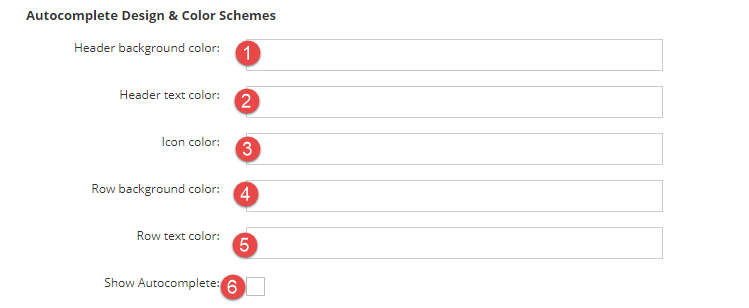
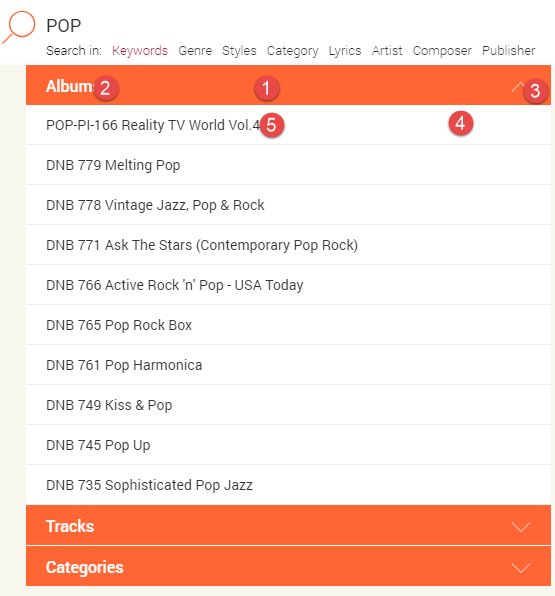
Modal Box:
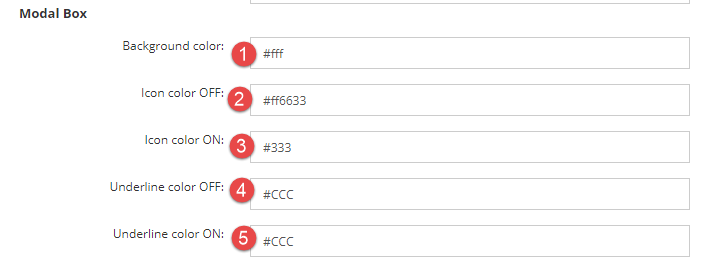
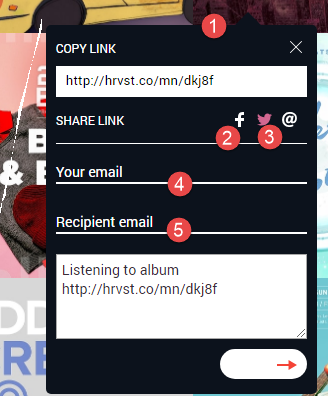
Checkbox and Color Schemes: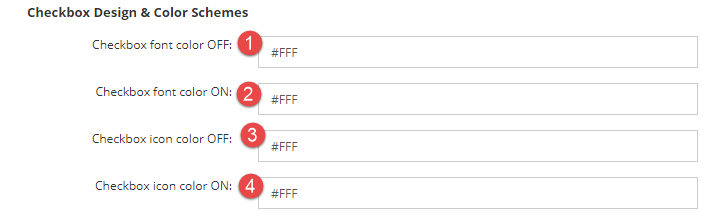

Full Screen Popups:
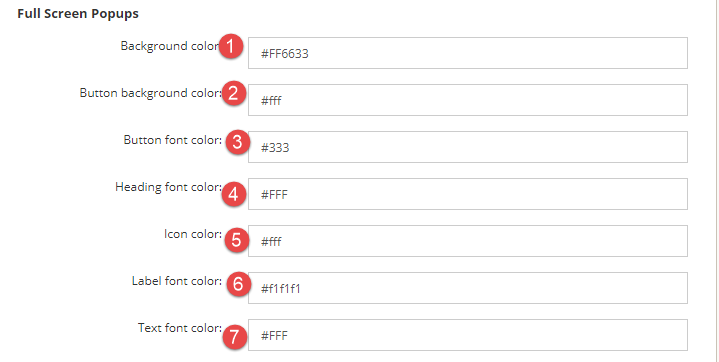
Comments
Article is closed for comments.