
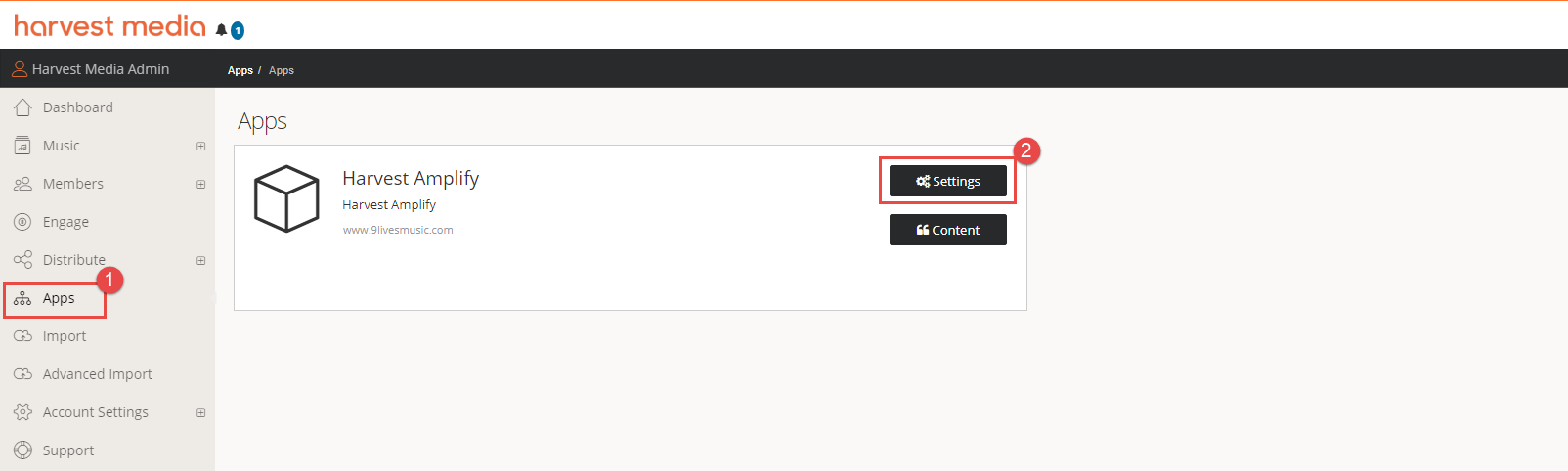
In order to enable the Cookies Panel on your Amplify Site, login to your Harvest Connect account, select Apps then Settings
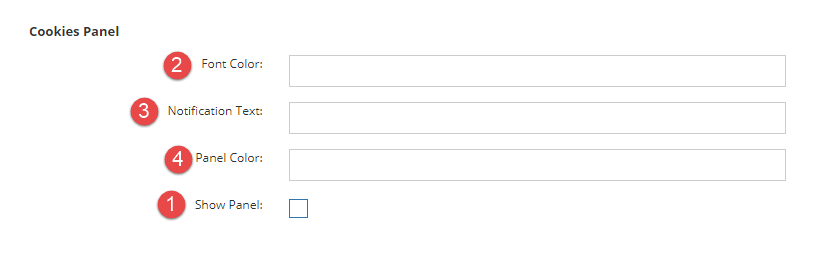
In the cookies panel, select show panel and add in the colours and text you would like
Ensure your Terms and Conditions have been added to your Web Content, see instructions here: https://harvestmedia.zendesk.com/hc/en-us/articles/360003859572-Adding-your-Terms-Conditions
Comments
Article is closed for comments.