
You can view the playlist your members create on either you Harvest Pro or Harvest Account.
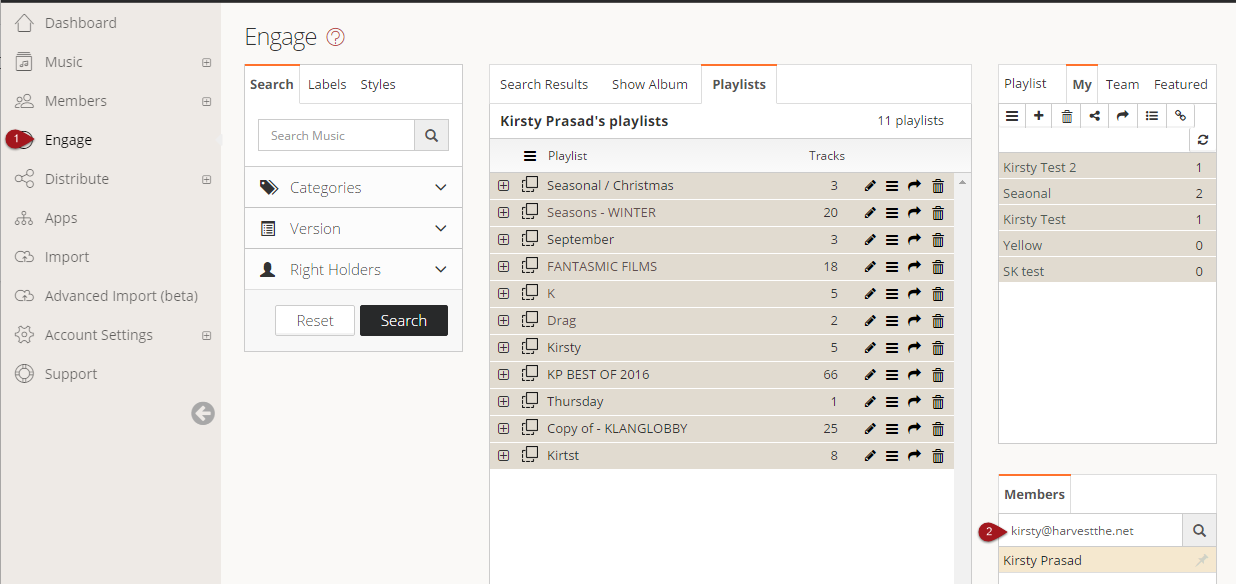
- Go to the Engage tab > under Members type in the members email you would like to search
- Double click on the members name and the results will appear under playlists
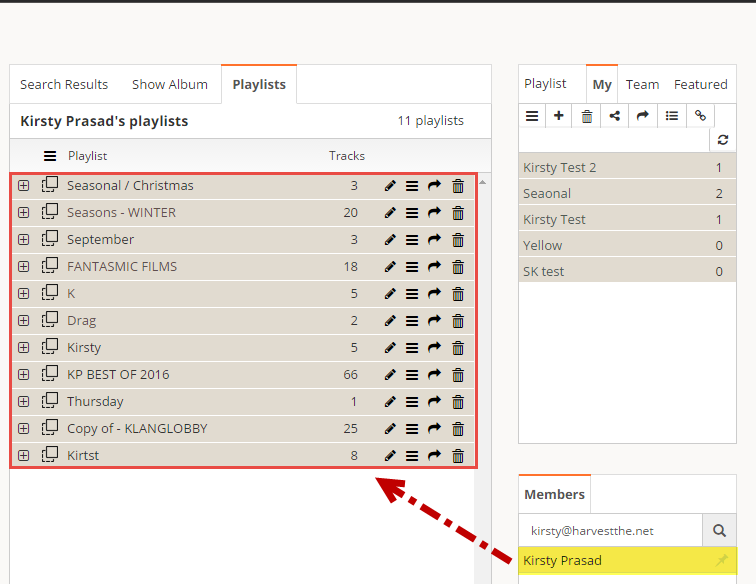
- You can then download, reorder, edit or copy playlists
Comments
Article is closed for comments.